
READ AND ORGANIZE
Read a site without an API
Ask your AI to read the dashboard and organize the data you need. Useful when a site has no public API and you have access through your browser.
Read this month's dashboard and summarize the changes.
 logicarelay
HANDOVER TO AI
Share a signed-in website with your AI client. Ask it to read a dashboard or work through a form. Keep browsing while it runs the task.
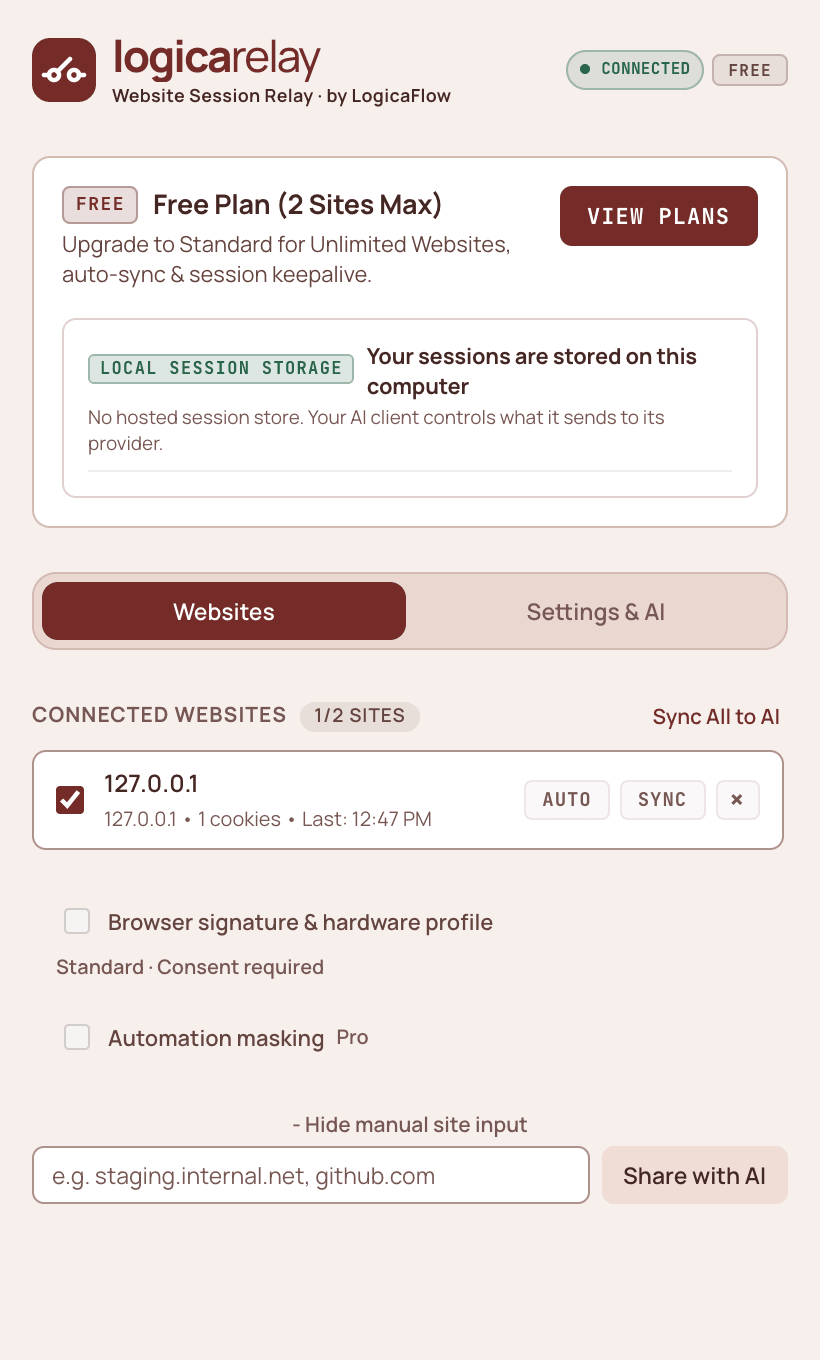
Sign in as usual, then share the website you want your AI to use.
Selected website · existing loginLocal relay
The relay saves the shared session locally for your chosen workflow.
Local session files · sync and pause controlsTell your assistant which site to use and what you want it to do.
Your AI client · MCP and browser automationSEE THE FREE WORKFLOW
See the extension connect a local relay, share one selected site, sync its session and pause access with the Kill Switch. Then watch the exported session work in a separate browser.
Open a website you can access in your browser. Complete its login and any verification yourself.
Choose it in the extension and grant website access. Its session goes to your local relay.
Tell your AI which shared site to use. Free supports session export; Standard adds built-in browser tools.
WHAT WILL YOU HAND OVER?
Give your AI a task in the account you're already signed into. These are a few places to start.
READ AND ORGANIZE
Ask your AI to read the dashboard and organize the data you need. Useful when a site has no public API and you have access through your browser.
Read this month's dashboard and summarize the changes.
EVERYDAY ADMIN
Work through form fields with your AI using the account you're already signed into. Review amounts and attachments before submitting.
Prepare this expense entry from the invoice details I provide.
ACCOUNT SETTINGS
Hand over repetitive profile fields or account preferences. Review the proposed changes before saving.
Fill in this profile with the information I provide.
TROUBLESHOOTING
Share the log viewer or admin page you're working in. Ask your AI to investigate an error and explain what it finds.
Find this error in the logs and explain the likely cause.
You choose the website and task. Available actions depend on your plan, AI client and the site's access rules.
KNOW WHERE YOUR DATA GOES
There is no LogicaFlow hosted session store. You choose the sites, the AI client and the workflows.
Read the privacy notice →.exports storage
with restricted permissions and deleted on Disconnect or Kill
Switch pause. Degraded key mode requires explicit opt-in.
CHOOSE YOUR WORKFLOW
FREE
$0
No subscription
MONTHLY
$3/ month
Standard · billed monthly
YEARLY
$29/ year
Standard · billed upfront · save 19%
BEFORE YOU CONNECT
Install LogicaRelay from the Chrome Web Store ↗ or follow the user guide to connect your local relay and share a website with your AI client. Firefox Add-ons (Coming soon).
Use your own MCP-compatible AI client and model access. You can also use a local headless browser script (such as Playwright) with the Free export, as shown in the demo.
No. Site policies, device-bound logins and unsupported storage can require you to sign in again. Standard export restores cookies and localStorage; it does not restore sessionStorage or IndexedDB.
Connect up to two sites, share their sessions, inspect session details and export standard storage state for compatible headless browsers (such as Playwright). Your own local script can use that state. Built-in relay browser actions and keepalive are included in Standard. Monthly and Yearly both provide these Standard features; only the billing interval differs.
The relay is a local stdio MCP server. Clients such as Claude Desktop and Cursor can use JSON configuration; Codex uses TOML. Browser-only and mobile clients cannot directly start the local relay.
WORK WITH THE SITES YOU USE
Share the site you're already signed into, then tell your AI what needs doing. Follow the user guide or watch a real session move into a separate browser.